Borescope vs endoscope: how inspection cameras work
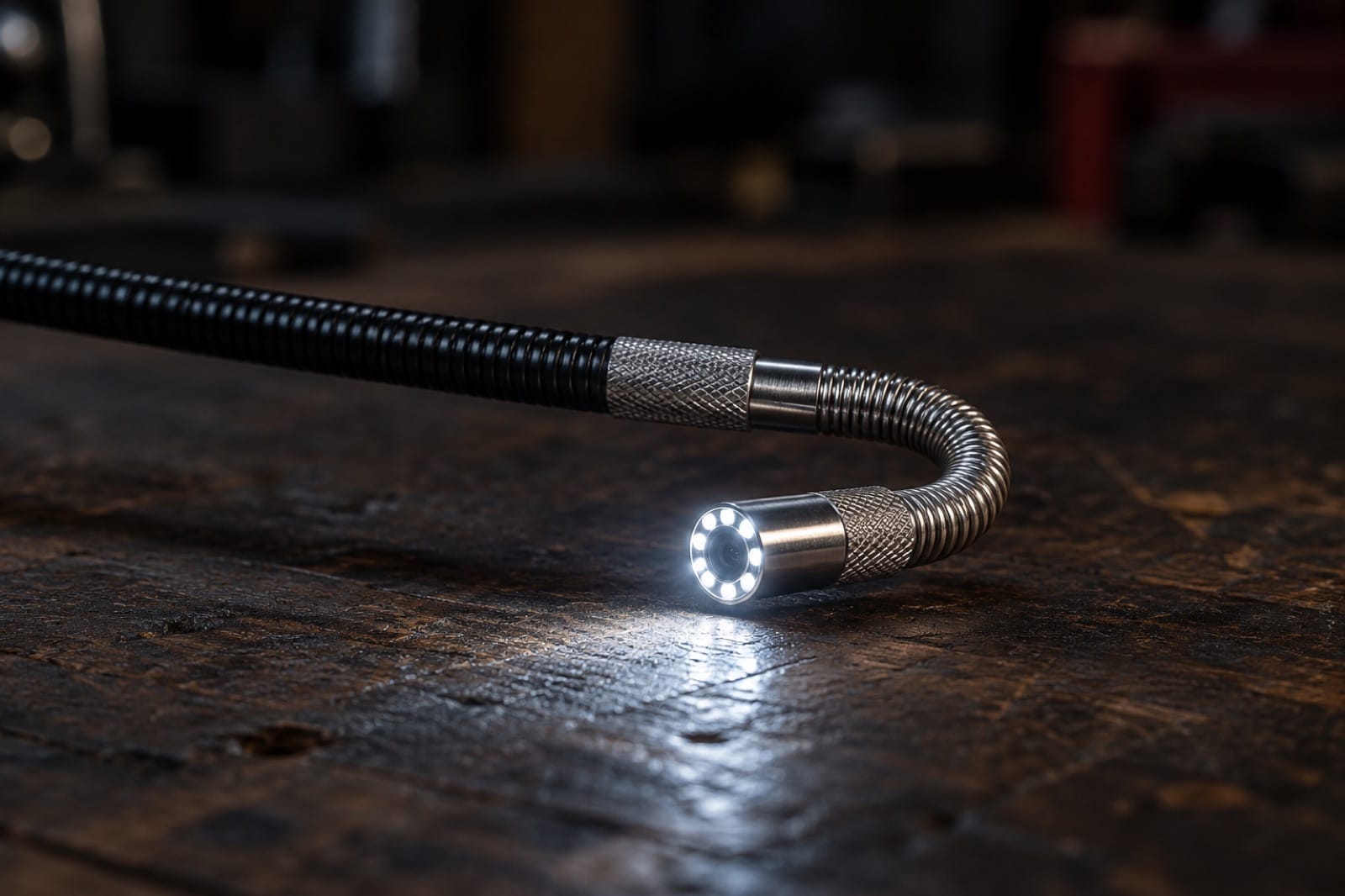
An inspection camera looks simple: a cable with a light on the end and a picture on a screen. But the difference between one that shows you the leaking joint and one that shows you a blurry white glare comes down to a few design choices: where the lens points, how the probe bends, how close it focuses and how the light is placed.
Then there's the naming: borescope vs endoscope. Here's what those words really mean, how these cameras work, and what to look for, whatever brand you end up with.
Short answer: Borescope vs endoscope comes down to history more than hardware. A borescope was built for machinery and an endoscope for medicine, but in hardware stores both now mean a camera on a thin probe. For home jobs, compare the tip, probe, focus and connection, not the name. Hardware scopes are never for use on people or pets.
Borescope vs endoscope: what's the difference?
The names come from different industries, and today they mostly describe the same thing.
- Borescope comes from engineering: a rigid tube with lenses inside, made for looking into the bore of an engine cylinder, a gun barrel or a turbine without taking it apart.
- Endoscope comes from medicine, where flexible scopes look inside the body. In hardware stores the word now just means a flexible inspection camera.
- Snake camera, videoscope and inspection camera are everyday names for the same idea: a camera on a probe that goes where your eyes can't.
Older scopes carried the image back to your eye through lenses or a bundle of glass fibers. Almost every modern inspection camera puts a tiny image sensor right in the tip instead, and the probe only carries power and a video signal.
So when one listing says "borescope" and another says "endoscope", don't assume one is tougher or sharper. Read the specs instead. The word on the box tells you more about who wrote the listing than what's inside.
How does a borescope work?
The tip of a modern scope holds three things:
- An image sensor, the same kind of chip as in a phone camera, only much smaller. A 2-megapixel sensor gives a picture that's plenty sharp at close range.
- A small fixed lens. There's no room for autofocus, so the lens is set to a fixed working distance. A common working range for consumer scopes is about 1–4 inches (2–10 cm) from the object. Closer, and the picture blurs; further, and it softens while the light falls off.
- LEDs around or beside the lens. Inside a wall or a pipe there's no light at all, so the camera brings its own. Brightness is usually adjustable, and you'll use that more than you expect.
The practical lesson: an inspection camera is a close-up tool. Get the tip within a hand's width of what you want to see. If the picture is washed out on a shiny copper pipe or a wet surface, turn the LEDs down rather than up; glare is reflected light, and less light often shows more detail.
Which way should the lens look: forward, side or both?
This choice decides what you can actually see.
| Tip type | What it sees | Best for |
|---|---|---|
| Forward-view | Straight ahead, along the probe | Looking down a drain, along a duct, into a hole |
| Side-view | At 90° to the probe | The wall of a pipe, the side of a cavity, the back of a fitting you've slid past |
| Dual-camera | Both; you switch between them | Going in straight, then looking sideways without pulling the probe out |
| Articulating | Forward, but the tip bends on command | Turning corners, looking back up at something above the hole |
A forward-view camera pushed down a pipe sees the pipe narrowing to a dark circle in the distance. A side-view camera in the same pipe sees the inside wall right next to it: the crack, the root, the joint. That's why dual-camera tips exist.
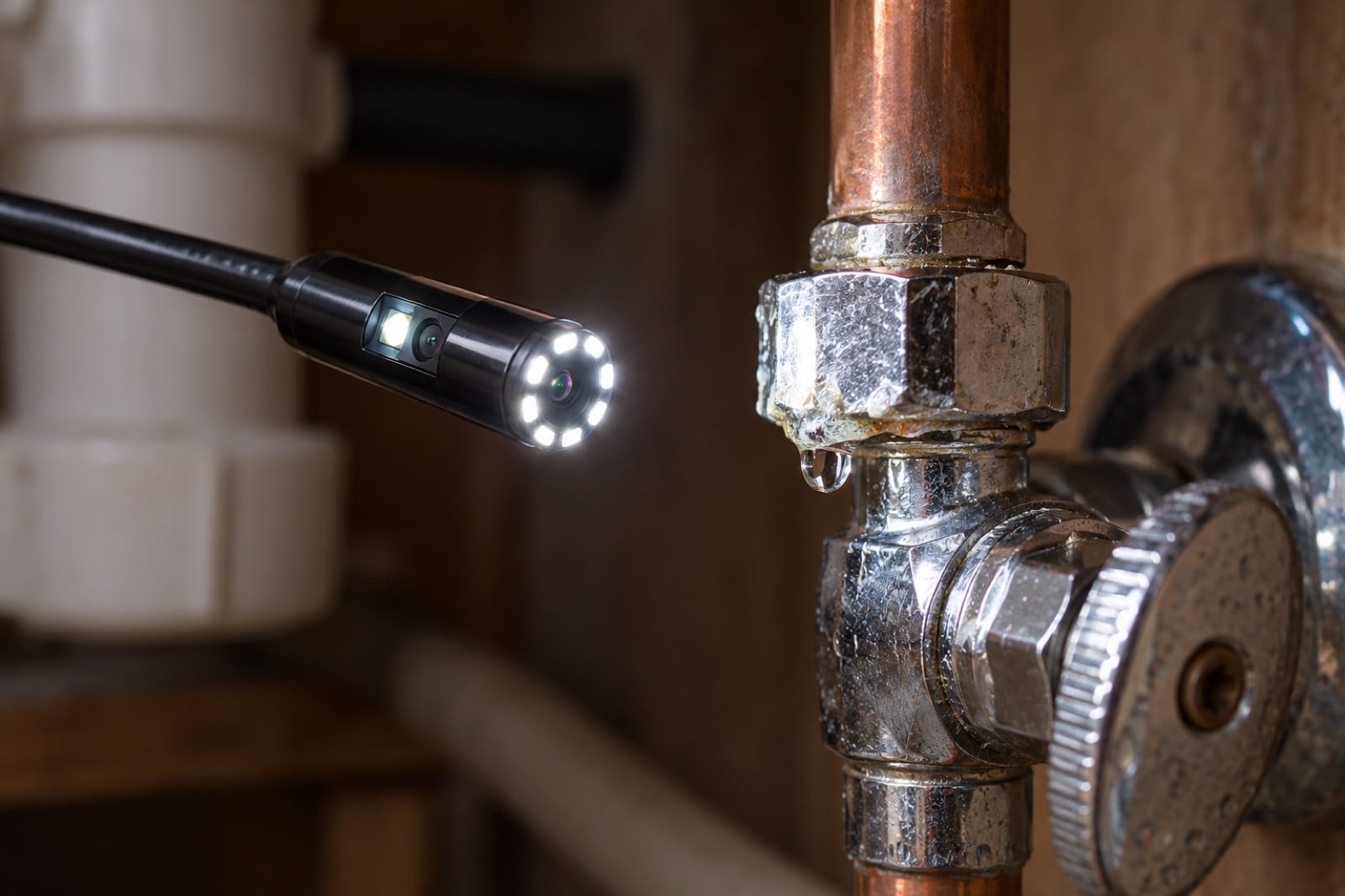
Illustration: a dual-camera tip looks straight ahead and to the side, so you can check the wall of a pipe without pulling the probe out.
Our dual-lens vs articulating endoscope guide compares these two ways of seeing around a corner in more detail.
Which probe do you need: rigid, semi-rigid, flexible or steerable?
The probe decides where the tip can go.
- Rigid probes are straight metal tubes. Easy to aim, but they only go straight.
- Semi-rigid cables hold whatever shape you bend them into. Bend a hook near the end, push it through a hole, and the hook looks around the corner. This is what most phone scopes use.
- Fully flexible cables follow the path of a pipe, but you can't steer them. Push one too far and it just coils up.
- Articulating probes have a short bending section just behind the tip. You turn a wheel or knob on the handle and the tip curves, often up to 180°, so it can look back the way it came.
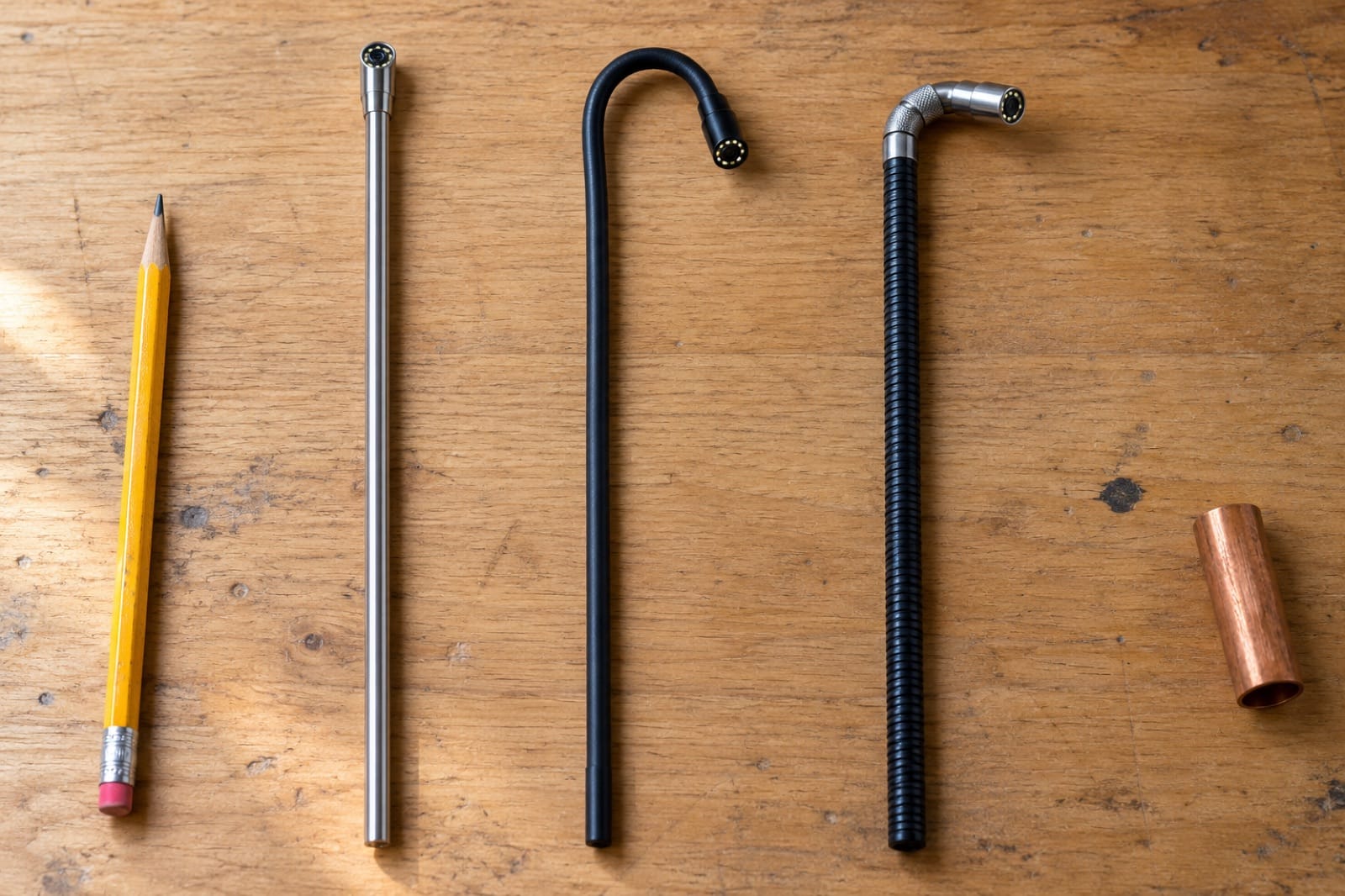
Illustration: from left, a rigid tube that only goes straight, a semi-rigid cable that holds the hook you bend into it, and an articulating tip that bends on command.
How articulation works: in most steerable scopes, thin steel control wires run inside the probe from the handle to the bending section. Turning the knob pulls one wire and releases the opposite one, and the tip curls toward the wire that's pulled. A two-way scope bends up and down in one plane; you rotate the whole handle to aim it left or right.
Steering matters most when you go in through one small hole. A straight probe sees the back of the cavity. A tip that bends 180° can look up the cavity and then down it, all through the same hole. That's the idea behind an articulating borescope for your phone.
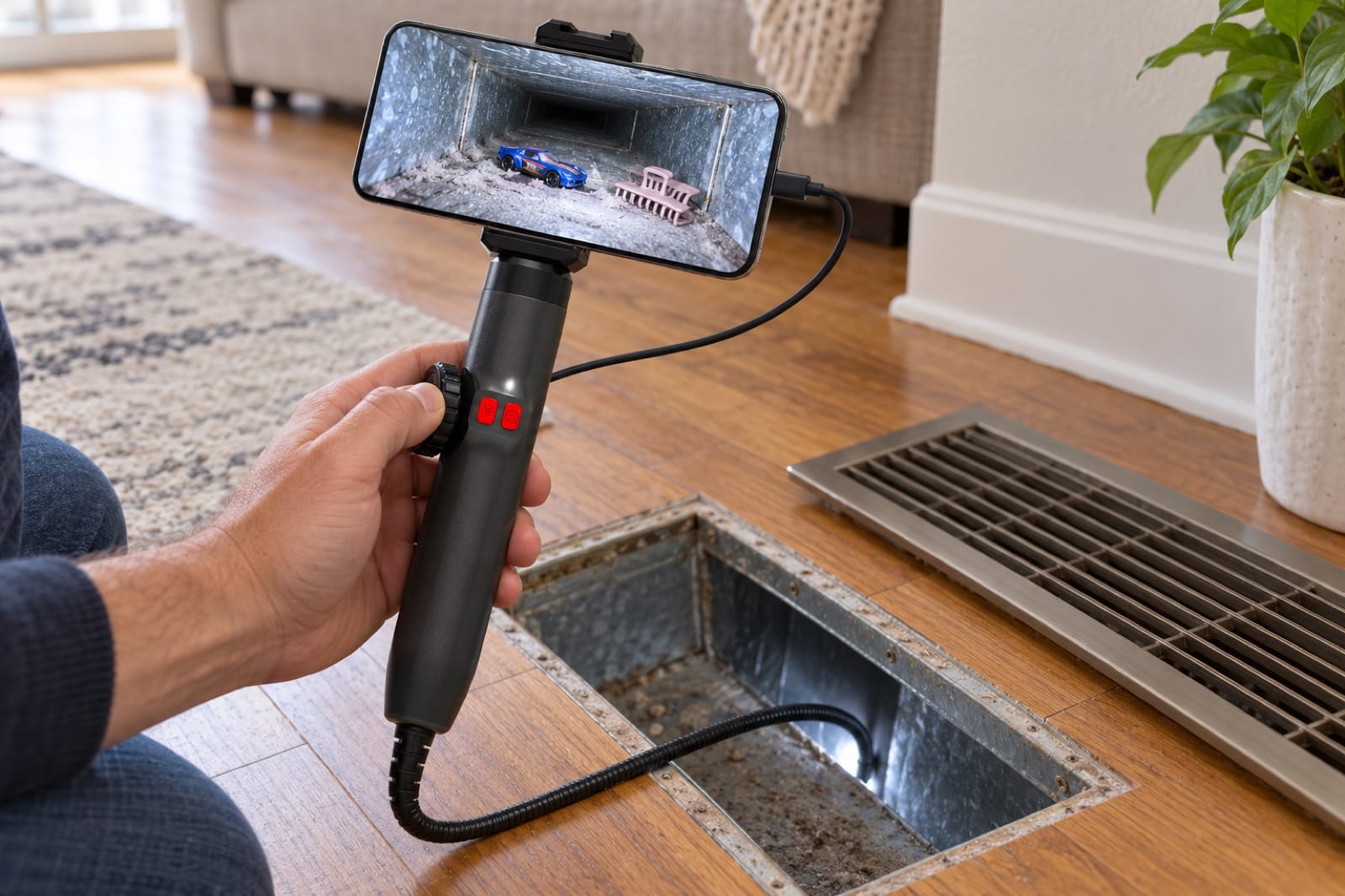
Illustration: through one opening, a steerable tip turns the first bend of the duct and shows what's lying further along.
What diameter and cable length do you need?
Diameter is a trade-off. A thinner probe fits through a smaller hole and into tighter gaps, but there's less room for the sensor and the LEDs. Somewhere around 5–8 mm (about ¼ inch) is a sensible size for household jobs: small enough for a drilled pilot hole or the gap around a pipe, big enough for a decent picture.
Length is about reach, not "more is better". A 3-foot (1 m) semi-rigid cable is easy to control and covers the inside of a wall, under a cabinet or a stretch of duct. Long, floppy cables are for sewer lines and need a different kind of camera. Our guide to inspection cameras for plumbing explains where a short scope stops being enough.
What does IP67 mean on an inspection camera?
Many scopes are rated IP67 at the tip. Under the international IP standard, that means dust-tight and protected against being submerged up to 1 m (3.3 ft) for 30 minutes. So the tip can go into a drain trap, a toilet or a flooded crawl space.
Two catches: the rating usually covers the probe, not the handle or the plug, and it's about water, not hot water, oil or chemicals.
Should you choose a wired or Wi-Fi inspection camera?
Some scopes have their own small screen; most now use your phone. Wired scopes plug into the charging port (USB-C, Lightning or both) and draw power from the phone: no pairing, no Wi-Fi dropouts. Wi-Fi scopes have a battery box that creates its own network: any phone works, but there's one more thing to charge. Either way, you can save photos and video to show a plumber.
Before you buy a wired scope, check your port. If you only need one for a single job, our guide to renting or buying inspection tools helps you weigh it up. Our phone compatibility guide lists which of our tools fit which iPhones, and there's a separate guide to inspection cameras for Android phones.
Which inspection camera suits which job?
Start from the job, not from the name on the box.
| The job | What to look for | Why |
|---|---|---|
| Sink trap or drain, first few feet | Forward and side view, waterproof tip | You need to see along the pipe and then read its wall |
| Inside a wall, through one small hole | Articulating tip | You can look up and down the cavity from the same hole |
| Behind a cabinet or an appliance | Semi-rigid cable you can hook | It holds its shape as you feed it in |
| Air duct or floor vent | Articulating tip, bright adjustable LEDs | It turns the first bend and lights the inside |
| Engine, through a spark plug hole | Thin tip, side view or articulating | There's limited room, and the walls are what you want to see |
| Main sewer line | A plumber's sewer camera | A short phone scope can't reach far enough |
If you don't know where the problem is yet, a scope may not be the first tool to reach for. Our guide to choosing between a thermal camera, moisture meter and inspection camera explains which one answers which question.
What are the most common inspection camera mistakes?
- Holding the tip too close. Everything goes blurry inside the focus distance. Pull back until the picture sharpens.
- Running the LEDs at full brightness. On wet or shiny surfaces it gives you white glare. Start low and bring it up.
- Working with a dirty lens. A wet or greasy tip makes everything look foggy. Wipe it clean and try again.
- Forcing the probe. If it stops, don't push harder. Pull back, change the bend and try again. Forcing it can damage the tip or what you're looking at.
- Losing track of direction. Inside a cavity, the picture can rotate as the cable twists. Mark the cable with tape at the hole, and turn it slowly.
- Drilling first and thinking later. Before you make a hole to look through, our before-you-drill guide shows how to check for pipes and studs.
What can't an inspection camera do?
- It needs a way in. It doesn't see through walls; it goes in through a gap, a vent or a small drilled hole.
- It has no sense of scale or depth. A hairline crack and a big gap can look similar. Put something of known size in the shot, or measure how far the probe went in.
- It isn't a drain snake. It shows a clog; it doesn't clear one.
- It's not for live electrics. Switch off the power at the electrical panel before you go near outlets, light fixtures or the inside of appliances.
Frequently asked questions
Are endoscope and endoscopy the same?
No. An endoscope is the instrument, and endoscopy is the medical procedure that uses one. Medical endoscopes are specialized, sterilized equipment used by trained clinicians. A hardware-store endoscope only shares the name, and it should never be used on a person or an animal. If you have questions about having an endoscopy, your doctor is the right person to ask.
What are the two types of endoscopes?
In medicine, the usual split is rigid and flexible. Hardware scopes follow a similar pattern: rigid or semi-rigid probes that you push and aim, and flexible or articulating ones that follow a path or bend on command. For home jobs, semi-rigid is the common starting point, because it holds a hook you bend into it and is easy to feed through a gap.
Can you rent a borescope camera?
Sometimes. Some tool rental counters carry them, but stock varies a lot from store to store, so call before you go. Renting can make sense for a single job with a clear start and finish. If you'll want to look again after a repair, or you've got several jobs in mind, compare the rental terms with buying one.
Which endoscope inspection camera is best?
There's no single best one, because it depends on the job. For drains and pipes, a side camera that reads the pipe wall is the most useful feature. For looking around corners inside walls or engines, a steerable tip helps most. Then check that the plug fits your phone, the tip fits your hole, and the tip's waterproof rating suits where it's going.
Do inspection cameras work with iPhone and Android?
Many do, but check the plug before you buy. Newer iPhones and most Android phones use USB-C, and older iPhones use Lightning. Some scopes include adapters for both, while others only suit USB-C. Android support can vary by model and app. A Wi-Fi scope avoids the plug question, since the phone connects over its own network, though it adds a battery to charge.
The tools in this guide
Prices are on each product page, in your local currency.
- Reach Duo — a dual-camera scope: a forward and a side camera (one button switches between them), 1080p, 8 + 1 adjustable LEDs, an 8 mm IP67 tip, a 1 m semi-rigid cable and a USB-C plug with Lightning and micro-USB adapters in the box, so it works with iPhone 14 and older, iPhone 15 to 18 and Android phones.
- Reach 360 — an articulating scope: a 6.2 mm tip that bends up to 180° each way from a knob on the handle, 2 MP, 8 LEDs, IP67 tip, with the phone clamped on top so you steer with one hand. For USB-C phones.
Reach 360 is also part of the Whole Home Kit, with the Spark Pro thermal camera to find the spot and the Damp moisture meter to check it's wet, for 10% less than buying the three separately.
Ready to look inside? Order Reach Duo for drains, gaps and straight holes, or Reach 360 to steer around corners.